
You've trained for months, your phone notes are full of half-finished workouts, and you still can't answer a simple question. Has your bench press increased since March? That uncertainty is exactly what a good tracker removes, not by collecting more numbers, but by turning the numbers you already lift into a clear decision for your next session.
What a Weight Training Tracker App Actually Does
Say your notes show bench press on Monday, some numbers on Thursday, and a weight you think you used last month. You remember the hard sessions, but you don't know the trend. A weight training tracker app solves that by recording every working set in one place, keeping the history permanently, and showing you what to do next.
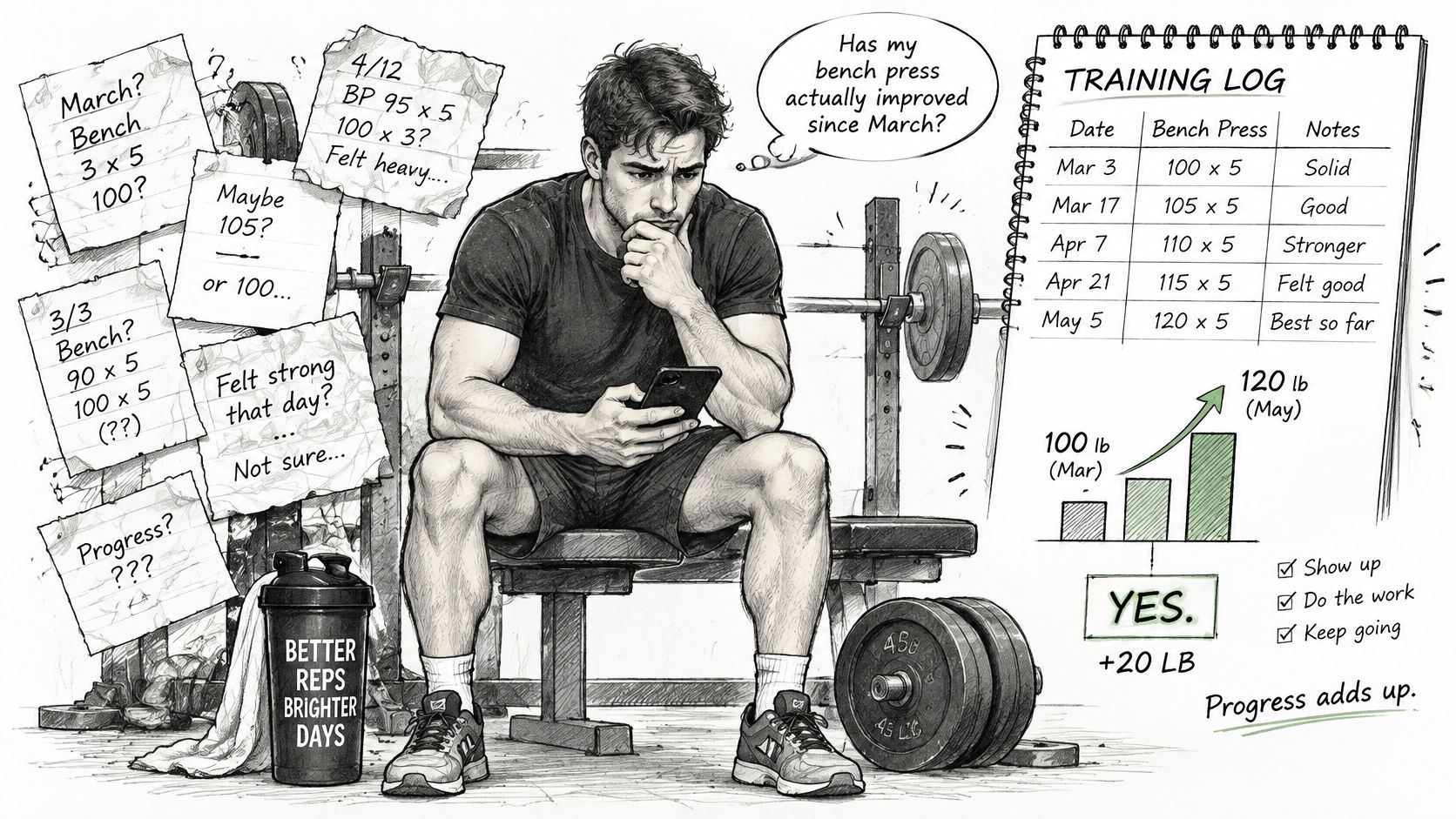
Think of a notebook as a map of where you've been. A tracker works more like GPS. It shows where you've been, whether you're still on course, and what the next turn should be.
The Three Jobs That Matter
First, it records. For each set you log the exercise, load, reps and rest, so the record is complete enough to compare sessions fairly. Second, it analyzes. Charts turn those sets into weekly volume, estimated one rep max and progress over time. Third, it plans. The app stores a target for the next session so you walk in knowing the weight and reps you're aiming for, instead of guessing at the rack.
Here's how that looks in practice. On Monday you log three sets of bench press at 60 kg under a double progression rule with a target of 8 to 12 reps. You get 12, 11 and 10 reps. On Thursday the target still reads 60 kg, because not every set has reached 12 yet. Once all three sets hit 12, the target moves to 62.5 kg and your reps drop back toward 8. You didn't have to remember anything, and you didn't have to decide in the moment. The rule did both.
The app doesn't add strength on its own. You still have to train hard, eat enough and repeat the plan for weeks. What the app adds is memory and consistency, so your effort points in one direction instead of restarting every session. The key question, then, is which features do those three jobs well, and which ones are only decoration on a dashboard.
Core Features to Check Before You Download
A tracker earns its place when it turns logged sets into useful decisions. Compare apps by checking whether they record information cleanly, apply clear rules, and make your next session easier to plan. If the first few features are weak, extra charts and themes will not make the core process work.
| Feature | What It Does | Why It Matters | What Good Looks Like |
|---|---|---|---|
| Set, rep and load logging | Records every working set | Progression depends on comparable numbers | Entry in a few taps with a fast keyboard |
| Progression rules | Proposes the next load from results | Gives a consistent basis for progression | Templates such as double progression, linear and 5/3/1 |
| Next-session targets | Stores planned weight and reps | Lets you compare the plan with your performance | Targets editable per exercise |
| Volume charts | Sums hard sets by muscle and week | Shows whether training volume is changing | Weekly totals and rolling averages |
| Rest timers | Counts rest between sets | Helps keep rest consistent with the session plan | Separate timers for warm-up and working sets |
| Deload markers | Flags planned recovery weeks | Puts recovery plans alongside performance trends | Marked on charts, not hidden in notes |
| RIR or RPE logging | Records reps left in reserve or effort | Adds context to how demanding a set felt | Optional, set by set |
| Routines and plans | Assigns workouts to weekdays or an order | Shows which workout is next | Routines assigned by weekday |
| Data storage and export | Keeps history accessible | Helps protect your training records | Clear storage location and manual export |
Must Have, Important, Optional
Fast logging, progression rules and next-session targets are required. Together, they make the app a decision system rather than a digital notebook: your entries can be compared with a target, and the result can guide what you do next. Check this in the gym, where interruptions matter. Log a full workout and notice whether entering each set is quick and straightforward. If recording becomes a chore between sets, you may stop doing it, leaving the app without the consistent history its charts need.
Volume charts by muscle, rest timers for warm-up and working sets, and deload markers are useful next. They help you see how training is changing and keep planned recovery visible, but they do not determine by themselves whether you are fatigued. RIR or RPE logging, weekday planning and data export can help as your needs grow. They are extras, not substitutes for quick logging.
Choose for logging speed and progression first, then charts, then extras such as themes and PDF reports.
A crowded dashboard can bury the trend you need, such as whether weekly chest sets are rising. Clear displays matter more than showing every available number at once. The same principle applies to activity habits: daily walking for healthy aging is one example of a behavior that can be tracked over time.
Consider privacy before storing years of records. In a 2025 study of 680 Greek consumers, 50.7% did not trust the privacy practices of fitness and nutrition apps. Features such as personalization and wearable sync may involve more sensitive health data, so check what the app stores locally, what syncs to Apple Health or Google Health, and whether you can export your history manually when changing phones. Those practical answers matter more than a polished home screen.
How Progressive Overload Rules Work in Practice
Progressive overload is a repeated decision, not a vague intention to try harder. After each session you decide whether to increase load, reps or sets, based on whether you beat the target you set. A tracker makes that decision automatic by storing a rule and applying it to your results.

The ACSM position stand on progression models recommends increasing load by approximately 2 to 10% when a trainee can exceed the target workload by one or two repetitions. That single guideline is enough to build a rule. If you beat the target by a rep or two, the next load goes up by a small step. If you don't, the load stays and you try again.
Double Progression, Step by Step
Take three sets of bench press at 60 kg with a target of 8 to 12 reps. In week one you manage 10, 9 and 8 reps, so the weight stays at 60 kg. Over the next sessions your reps climb until every set reaches 12. Only then does the rule add 2.5 kg, and your reps fall back toward 8 at the new weight. Written as a plain sentence, the rule reads like this: increase weight by 2.5 kg once every set reaches 12 reps, then drop back to 8 reps.
Don't confuse that with a single set rule used in linear progression, such as increase weight by 2.5 kg if the last set exceeds 8 reps. That version judges only the final set, so it moves faster and suits beginners who can add weight almost every week. Strength focused templates like 5/3/1 take a different path, cycling percentages of a training max over several weeks. A good app lets you pick the template that matches the lift instead of forcing one rule on everything. If you want the underlying concept explained in more depth, this guide to what progressive overload means walks through it before you set any rules.
Why Target and Result Are Stored Separately
Your log needs both the prescribed target and the performed result. If the app only saves what you did, it can't tell whether you followed the plan, beat it or fell short. Keeping the two separate lets it calculate adherence and estimated one rep max cleanly, and it lets the rule judge your performance against something fixed.
Context matters too. Two sets of 60 kg can feel completely different after poor sleep, or when one set stops three reps short of failure and the other grinds to a standstill. Logging set type, rest duration and optionally RIR or RPE preserves that context, so a hard day doesn't look like a mystery in your history three months later.
Rules should also change with the work itself. Heavy sets in the 1 to 6 rep range commonly pair with 3 to 5 minute rests, while lighter accessory work needs far less. Configurable rules and rest defaults per exercise or training phase keep a heavy squat and a cable lateral raise from being treated as the same thing.
Practical rule: Pick exercises you can load in small steps, perform through a controlled, comfortable range of motion, and repeat for months. A machine chest press, a chest supported row or a cable movement often fits that test better than an exercise that beats up your whole body for one target muscle.
Reading Volume Charts Without Overreacting
The most useful chart in any tracker counts hard working sets per muscle group per week. Warm-up sets don't belong in that number, because they don't drive growth the way working sets do. A rolling average across recent weeks tells you far more than a lifetime total, which only ever goes up and therefore tells you nothing about your current training.

| Lifter or Situation | Weekly Hard Sets per Muscle | Chart Signal to Watch |
|---|---|---|
| Average healthy adult | About 10 | Steady rise in sets while reps hold |
| Trained lifter with hypertrophy goal | 12 to 20 | Volume rising with load or reps holding |
| Any lifter after a sharp one-week jump | Above the lifter's recent average | Reps falling and effort rising, a sign of fatigue |
An updated ACSM evidence summary on resistance training identifies approximately 10 sets per muscle group per week as a practical target for hypertrophy in the average healthy adult. A separate systematic review of young, trained men identified approximately 12 to 20 weekly sets per muscle group as a practical reference range for hypertrophy, as summarized in the ACSM simplified progression models document. Treat those numbers as reference points for reading your chart, not as quotas you must hit in your second week of training.
The Warning Pattern Most People Miss
More sets don't automatically mean more progress. Watch for this combination instead. Your weekly set count rises, but your reps at the same weight fall, and sets that used to feel controlled now feel like a grind. That pattern points to accumulated fatigue, not productive overload. Adding even more volume on top of it usually digs the hole deeper.
Good dashboards flag the situations you'd otherwise miss. A rapid jump in volume from one week to the next deserves a warning. A flat line across several weeks, where load, reps and estimated one rep max all stall together, marks a plateau. A stretch of falling performance after weeks of rising volume marks a deload candidate. If you want to see how that kind of tracking works over months, these examples of volume trends over time show the patterns in chart form.
Never read volume on its own. Put it next to load, reps and estimated one rep max for the same exercise. Twelve sets a week with rising reps is a program working. Twelve sets a week with falling reps is a recovery problem wearing a progress costume. Exercise choice shapes that picture too. Movements that train a muscle through a large, controlled range of motion with low whole body fatigue, like incline machine presses, chest supported rows, leg presses and cable flyes, let you accumulate productive sets without every session draining your recovery for the next one.
A chart shows you a trend. It doesn't make the final call. Deciding whether to deload still depends on how the lifts feel, how you're sleeping and whether soreness clears between sessions. Use the chart to ask the right question, then answer it with what's happening in your actual week.
Setting Rest Timers and Effort Targets
A rest timer makes logged sets easier to compare, but one setting rarely suits every exercise. Use these typical ranges as starting points, then adjust if the next set feels limited by breathing rather than the muscle you are training.
| Rep Range | Rest Between Sets | Effort Target (RIR) |
|---|---|---|
| 1 to 6 reps, heavy strength work | 3 to 5 minutes | 1 to 3 reps left |
| 6 to 12 reps, hypertrophy work | 2 to 3 minutes | 1 to 3 reps left |
| 12 plus reps, isolation or accessory work | 60 to 90 seconds | 1 to 3 reps left |
Set a timer for each exercise, so a heavy squat and a lateral raise do not share the same rest rule. A squat taken near your limit may need the full rest interval for the next set to test strength rather than breathing. A lateral raise usually calls for less waiting. Warm-up sets can use shorter rests than hard working sets, and clear app notifications make the timer useful without repeatedly checking the screen. For more on choosing a rest interval, see this breakdown of rest time between sets.
You Don't Need Failure on Every Set
A set can be productive without ending when another rep is impossible. One systematic review and meta-analysis on proximity to failure found no clear hypertrophy advantage from taking every set to momentary muscular failure. That finding does not mean effort is irrelevant. It means the app should help you record how hard a set felt, rather than treating failure as the only successful outcome.
Log RIR, or reps in reserve, or use RPE to describe effort. For most working sets, a target of 1 to 3 reps left gives you a practical rule to follow and review. Save true failure for selected sets, preferably on a safe machine or cable exercise where a failed rep costs you nothing. The log then gives you a clearer picture of whether you are reaching your target, and whether the same effort is becoming harder over time.
Treat the target as a guide, not an automatic command. A planned 2 RIR set may turn into a grind after poor sleep, so note the actual effort rather than forcing the target. If recovery is limiting your training, a recovery guide for busy executives offers practical ways to protect sleep around workouts. A tracker can organize rest and effort rules, but it cannot judge your technique or decide whether discomfort is a reason to stop.
Matching the App to Your Training Stage
The right features depend on where you are, not on what the app store screenshot highlights.
- Beginners: You need fast logging, simple routine templates and a rest timer. Spend your first months building the logging habit and adding small amounts of weight. Charts can wait until you have enough history for a trend to mean something.
- Intermediate hypertrophy lifters: Progression rules, weekly volume charts and RIR logging become essential, because your progress now depends on spotting fatigue and nudging volume up without stalling.
- Data driven athletes: Look for custom charts, bodyweight and measurement tracking, and clean data export, so years of history stay usable. Athletes who lift to support another sport, including people working to build strength for jiu jitsu, benefit from that export when a coach reviews their training.
- Anyone who wants a simple, clean log: A calm dashboard and themes you'll enjoy opening have real value if they keep you logging. Just check that the program underneath fits your goal, since a good looking app running a poor plan still produces poor results.
Where the App Stops and a Human Starts
Charts can't watch your technique, and they can't diagnose why something hurts. A 2025 randomized trial of 79 trained adults, including 48% women, found 10 week adherence of 88.2% with supervision, 81.2% with app guidance and 52.2% with a PDF program, and supervised training produced greater improvements in strength, body composition and well being. An app is a strong decision aid, but it isn't supervision.
Treat these signals as your cue to involve a qualified trainer or clinician. Pain that persists across sessions. Progress stalled for several weeks despite following a logged plan. Repeated missed sessions that your adherence data makes impossible to ignore. A major muscle group your volume chart shows you never train. The tracker earns its keep by surfacing those patterns early. What you do about them still needs human judgement.
Choose a Tracker and Log Your First Week
Before committing to an app, check whether it can turn a logged session into a useful next step. Strive Workout Log includes unlimited routines and unlimited custom exercises in its free tier, with no ads or paywalls on core features. Its progression options include linear progression, double progression and 5/3/1. You can also write a rule in plain language, such as increasing weight by 2.5 kg once every set reaches 12 reps. Clear rules make it easier to see what target you have set for your next session.

The app's charts show volume, intensity, bodyweight and measurements across unlimited history, so you can compare current training with your earlier logs. Built-in rest timers help keep rests consistent, though a timer cannot decide whether you need more recovery. Data stays locally on your device, and you can generate a PDF report to share with a coach. The paid tier adds RIR and RPE logging, Apple Health and Google Health sync, and custom themes. Workout plans with weekday assignments are available to try free for 30 days.
Your First Week, Step by Step
- Install the app on iOS or Android and create a routine.
- Enter your last actual session, including the weights you lifted rather than the weights you intended to lift.
- Set one progression rule for a main exercise. Double progression on a press or row gives you a straightforward target to follow.
- Log each working set during the week. Use the rest timer, and record RIR on your hardest sets if you have that feature.
- Review your charts at week's end. Compare logged volume and performance with the reference ranges from your program, then change one thing at a time.
A log becomes a decision system when you use its history to set a target, then check whether your training supports that choice. Charts show patterns, not causes: a dip in performance may have more than one explanation, so avoid reacting to a single session. Use the first week to establish a reliable record, and let repeated entries guide gradual adjustments. That makes questions about whether your bench is progressing easier to answer from your own training history.
If you want to replace scattered notes with logged sets, progression rules and targets for your next session, Strive Workout Log offers unlimited routines, custom exercises and chart history in its free tier, with data stored on your device. Log your first week, then use the record to make your next training decision.
Leave a Reply